 product
Simulate straight from CAD. Mesh only when you want to.
One engineering workbench for the whole loop. Prepare geometry, solve on CAD with a mesh-free solver, drive open FE solvers, and read results from the tools your team already uses.
Desktop app for Windows and Linux · no licence fee · Free licence valid for a centillion years

What is Naksha?
Naksha is a CAE pre- and post-processor with its own mesh-free structural solver. It takes a model from raw CAD to a reviewed result in one window. It writes and runs the open-source solvers, and it reads and writes the formats of the commercial ones.
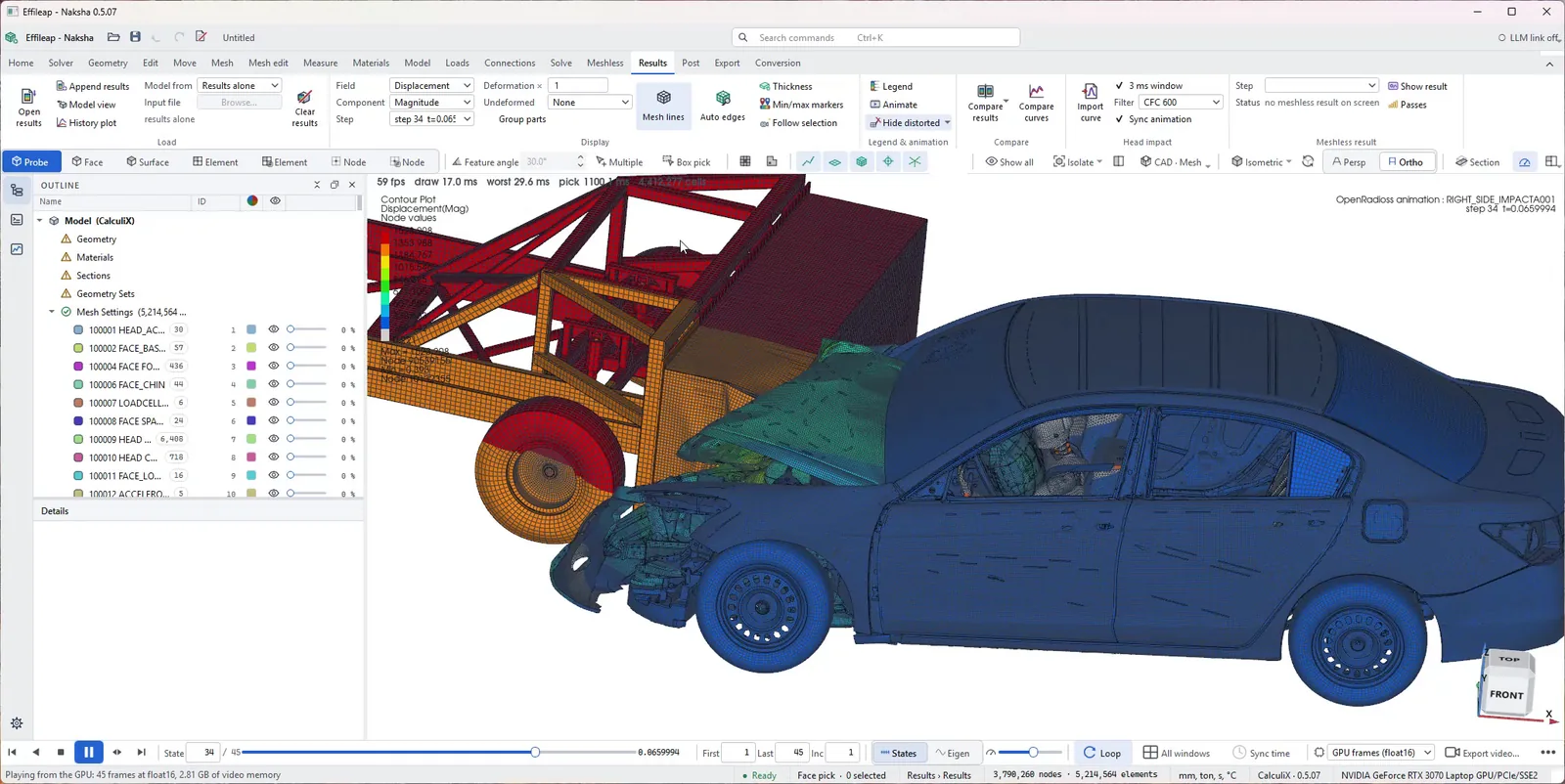
Fewer tools. Faster answers. Honest numbers.
Most CAE time is lost between programs: re-importing CAD, translating decks and opening another viewer. Naksha removes those steps.
No mesh required
The mesh-free solver works on CAD parts directly and refines itself to an error target. You get a structural answer while the design is still changing.
Every solver, one model
Set up once, then run it mesh-free, in CalculiX, Code_Aster, OpenRadioss or MoFEM. You can also export Abaqus and LS-DYNA decks.
Accuracy you can check
We publish NAFEMS benchmark errors, including the weak ones. Compare mesh-free and FE results side by side in the same viewer.
Free. Forever.
The complete workbench and mesh-free solver cost nothing, for students, researchers and commercial engineering teams alike. Our guarantee is in writing: every Free user receives a licence document, valid for a centillion years, that keeps the Free tier's capabilities free, in every future version too.
- Commercial use includedUse it on paid client and production work.
- Guaranteed in writingYour licence document, valid for a centillion (10303) years, keeps every Free-tier capability free in this version and all future versions. This is how we guarantee the commitment.
- No licence feeNo payment details needed.
- The full workbenchCAD, meshing, the mesh-free solver, open FE solvers, post-processing and reports.
From geometry to answer, without changing tools.
Mesh-free structural analysis
Run linear static, modal and small-strain plasticity analyses directly on CAD parts. Bonded and sliding interfaces, RBE2/RBE3 couplings, joints and bushings connect assemblies. Adaptive passes stop when the estimated error meets your target.
Explore the solver →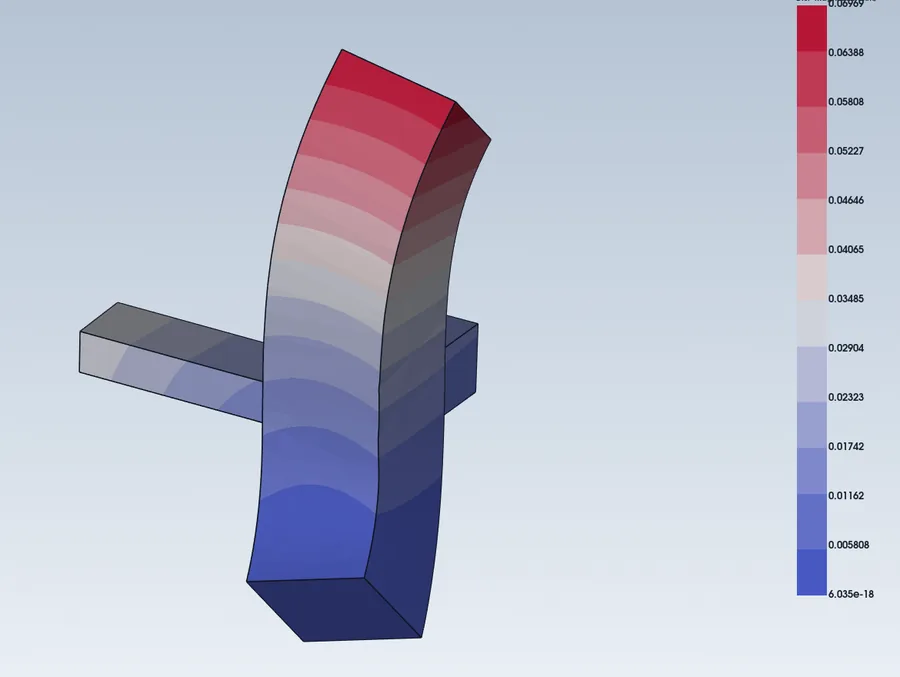
Geometry preparation
Import STEP, IGES, BREP, STL and 3MF. Defeature, run booleans, push-pull and slice without going back to CAD, and let the app detect part-to-part connections across the assembly.
Explore pre-processing →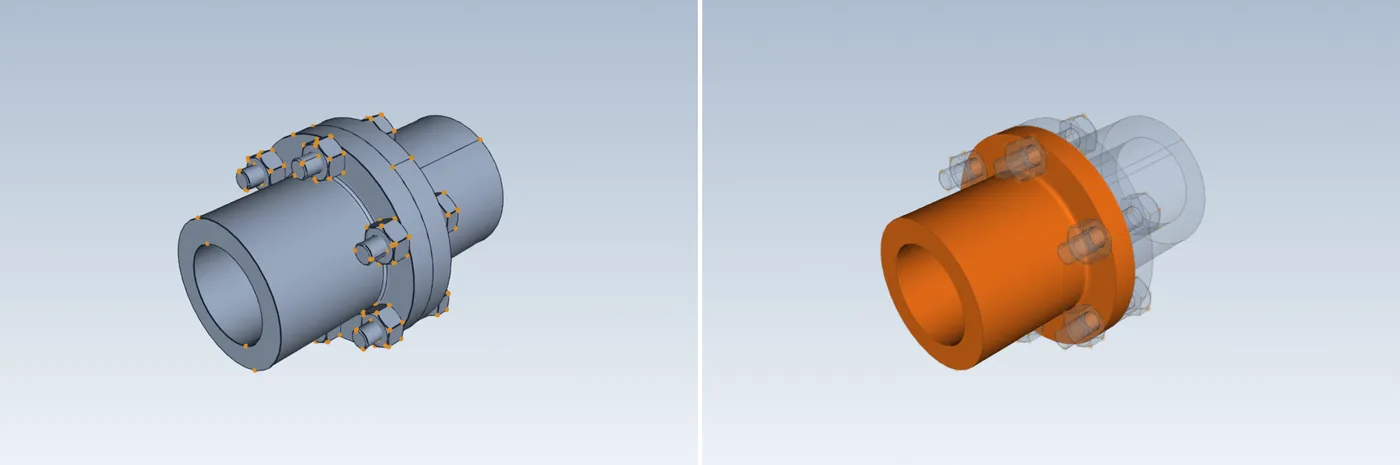
Meshing & model setup
Mesh with linear and quadratic tets, swept hexes and shells, and create midsurfaces. The Pro plan adds Effileap's learned hex mesher and state-of-the-art midsurfacing for complex parts. Then add materials, contact, ties and steps.
Explore meshing →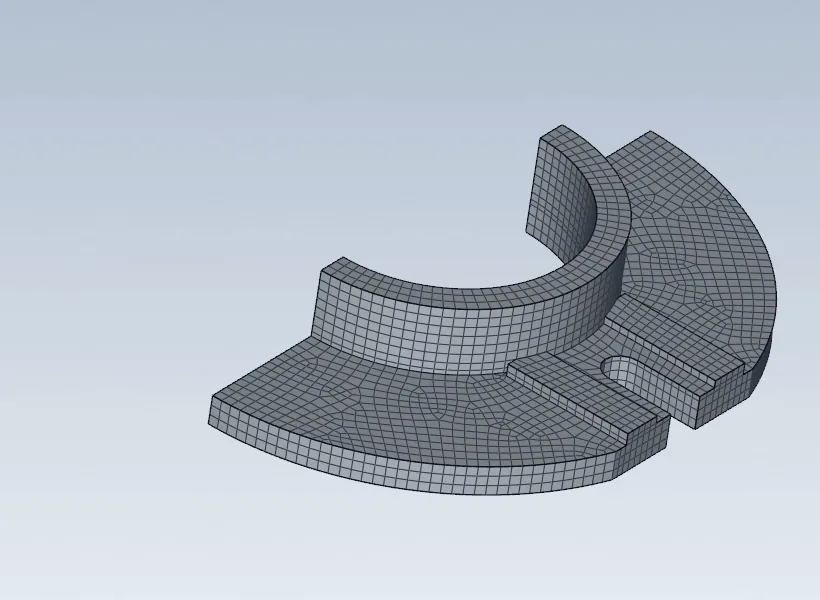
Multi-solver runs
Write and run CalculiX, Code_Aster, OpenRadioss and MoFEM from the same model. Read and write Abaqus and LS-DYNA keyword decks, and convert LS-DYNA models to OpenRadioss.
Explore solvers →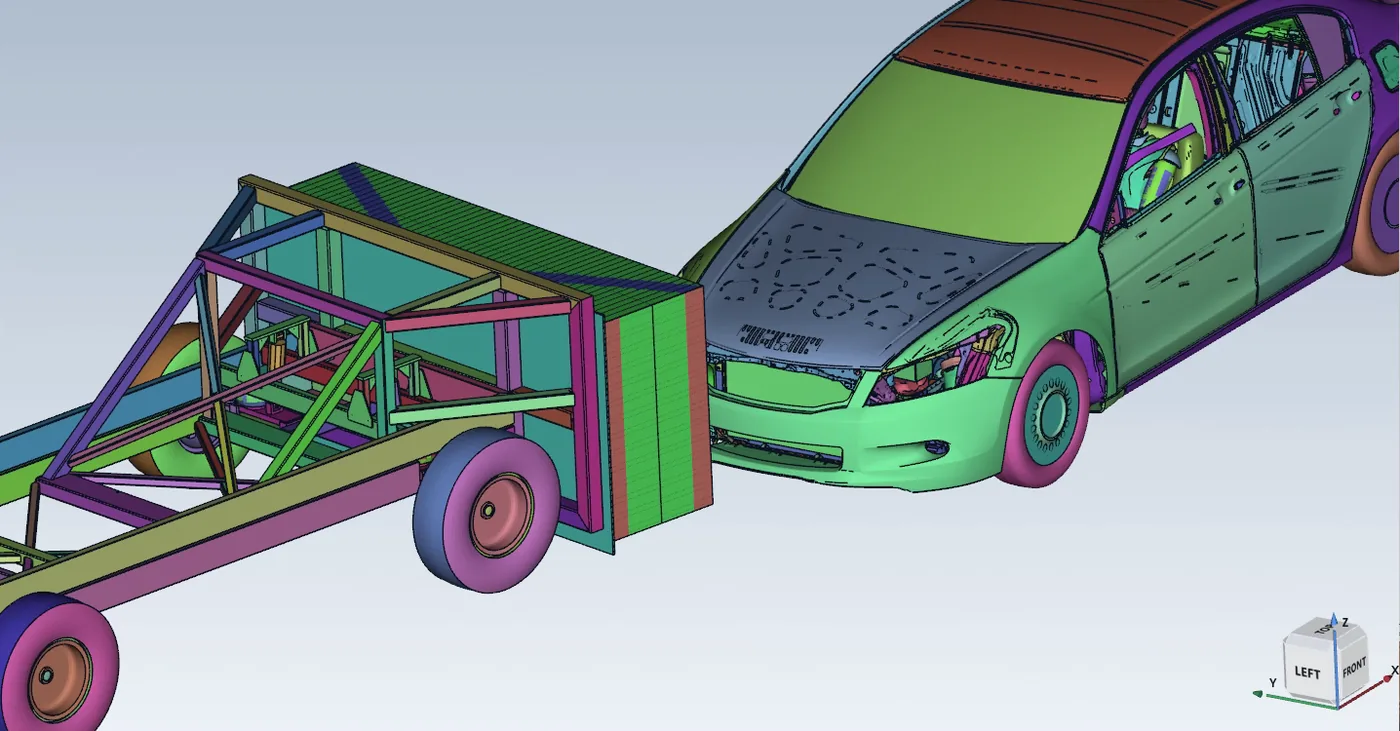
Post-processing & correlation
Open CalculiX, Code_Aster, VTK, LS-DYNA d3plot and OpenRadioss results. Show contours, animations, section cuts and probes, compare two results side by side, and rate curves against tests with ISO/TS 18571 and CORA.
Explore post-processing →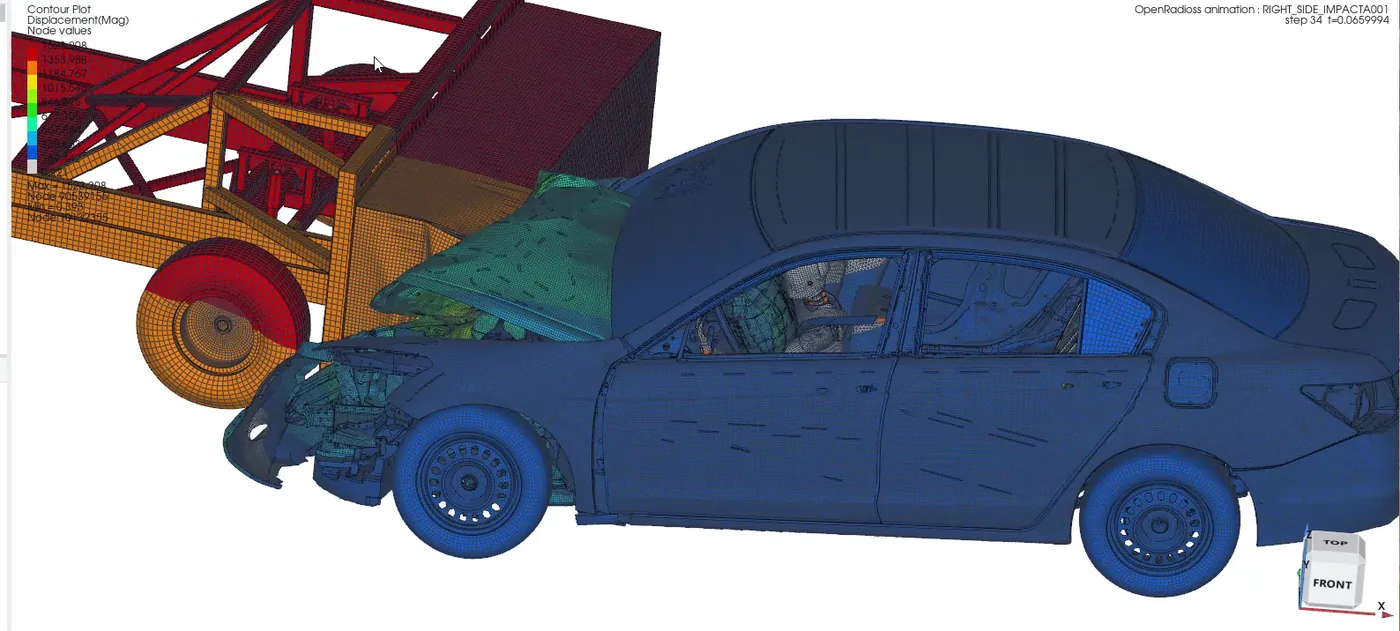
Material library
Every plan includes 500+ material cards, and Pro unlocks the full library of more than 8,800. Search by code, family, provider or temperature. Strain-rate stress-strain curves are included, and every card shows its source and licence.
Compare plans →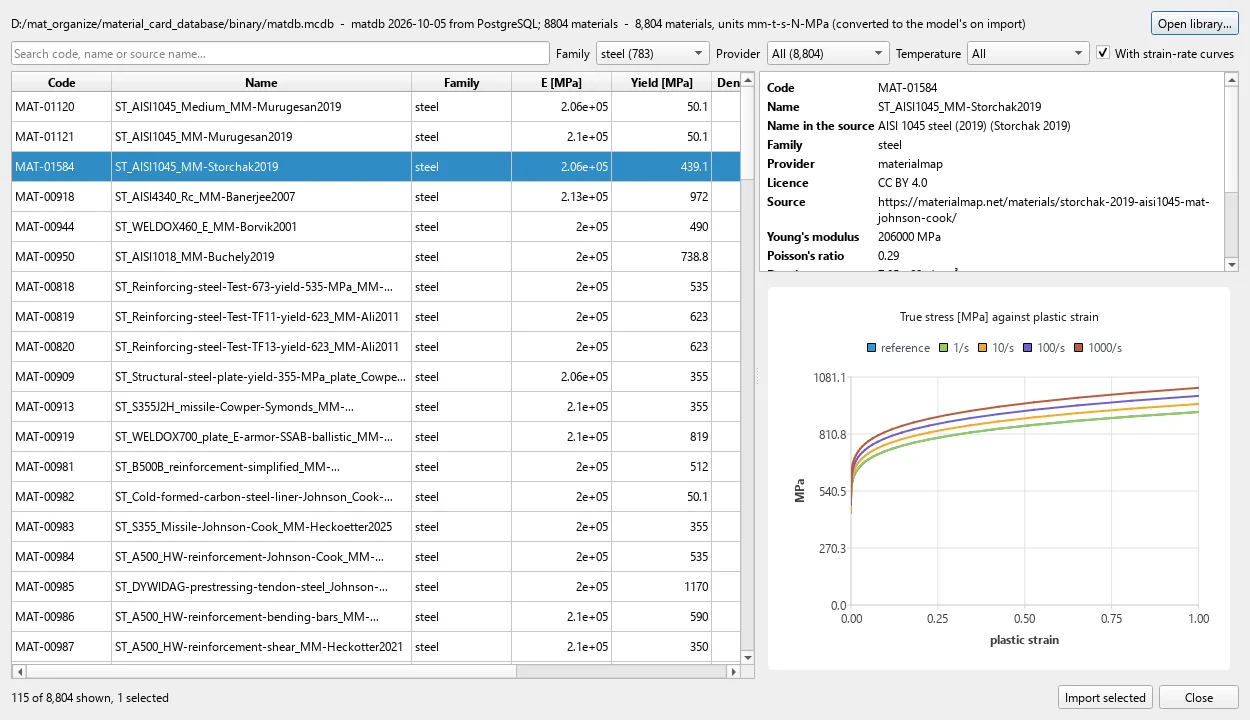
Made for the teams between design and test.
Naksha is for engineers who move models between tools, need quick answers on CAD that keeps changing, or have to share results with people who don't have CAE software.
Automotive & safety
Work with LS-DYNA and OpenRadioss models and correlate against crash and impact tests.
Explore →Machine & product design
Fast stiffness and stress checks on CAD assemblies, before a full FE study.
Explore →Consultancies
Take any client's format, translate between solvers, deliver browser-ready reports.
Explore →Education & research
An industrial-style workflow on open solvers, for teaching and testing methods.
Explore →Prepare, solve and review with confidence.
One model, one viewer and every solver you use. Spend the time on engineering, not on file translation.
Deck translation
Read and write Abaqus .inp and LS-DYNA .k, checked against their keyword manuals. Open PrePoMax projects too.
Shareable reports
Export HTML and PDF comparison reports, or publish interactive 3D result pages that open in any browser.
Agent-ready
An optional local MCP link lets an AI assistant drive the running app. Risky actions always ask you first.
Frequently asked questions
What is Naksha?
A desktop CAE workbench for Windows and Linux with three parts: pre-processing (CAD, meshing, model setup), solving (its own mesh-free solver plus CalculiX, Code_Aster, OpenRadioss and MoFEM), and post-processing (results from most common solvers).
What does "mesh-free" mean here?
The solver places high-order polynomial fields on the CAD parts and integrates exactly over their boundaries, so you don't have to generate a volume mesh. It raises the polynomial order until its error estimate meets your target. See how it works.
Can I import my CAD?
Yes. It imports STEP, IGES and BREP through OpenCASCADE, and STL and 3MF with repair. Native files from CAD systems should be exported to STEP first.
Do I need Abaqus or LS-DYNA?
No. You can open and edit their decks, and view LS-DYNA d3plot results, without either one installed. You only need your own licence to actually run those solvers.
Is Naksha really free?
Yes. Naksha Free is free to use forever, including for commercial work, with no licence fee. This is how we guarantee it: every Free user receives a licence document, valid for a centillion years, stating that the Free tier's capabilities stay free, including in all future versions. Enterprise and Pro are optional. They add dedicated support, customisation and Effileap's state-of-the-art meshing tools.
How do I get it?
Ask for Naksha Free and we'll send you the Windows or Linux build and help you set it up.
Try it on a part you know well.
Send us a model and we'll show you the mesh-free result next to your FE result, including where the two differ.